Create trees for storing information such as documents, notes, and images
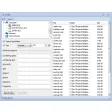
Maple is a useful user-friendly document organizer that enables you to create your own hierarchical trees for storing information such as documents, notes, and images. The dual-window interface, with quick-action hot buttons and drag-and-drop support, facilitates the building of your file tree.
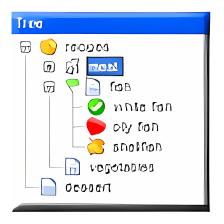
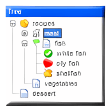
Selecting Add Node from the Tree menu creates a new "branch" for your growing tree, which you can name or later rename. You can create unlimited nodes and sub-nodes and assign any document to each node. Clicking on the Delete Children button will delete all child nodes of a selected node. Choosing Collapse All or Expand All will expand or collapse your tree.
Advanced features of Maple Professional:
* Finder * Backup system * Built-in file encryptor * Built-in Calculator * Integration with Microsoft Word Spell Checker, Grammar Checker and thesaurus * Custom Node Icons * Import Folder Content * Export/Import Settings Profile feature
A useful user-friendly document organizer that enables you to create your own hierarchical trees for storing information such as documents, notes, and images. The dual-window interface, with quick-action hot buttons and drag-and-drop support, facilitates the building of your file tree.
Selecting Add Node from the Tree menu creates a new "branch" for your growing tree, which you can name or later rename. You can create unlimited nodes and sub-nodes and assign any document to each node. Clicking on the Delete Children button will delete all child nodes of a selected node. Choosing Collapse All or Expand All will expand or collapse your tree.
Advanced features of Maple Professional:
Finder. An advanced search utility that makes it easier to search for Maple files. Using Finder, you can specify several search criteria. For example, you can search for files in the specified folder. You can even search for files containing specific nodes, text, or comments.
Backup and restore. Now you can easily create a backup copies of your tree. Supports .zip and .cab compression.
Integration with Microsoft Word spell checker, grammar checker and thesaurus.
Node icons. Now you can use your own icons to brighten up your tree or identify key nodes.
HTML help. This feature converts Maple tree to Microsoft® HTML Help file (.chm), the standard help system for the Windows platform.
Web tree. You can export Maple tree outline and all documents to a set of .html files and view these trees in a browser, or publish them on a Web sites. Click here to see a sample.























User reviews about Maple Professional
Have you tried Maple Professional? Be the first to leave your opinion!